

The Perimeter Pusher


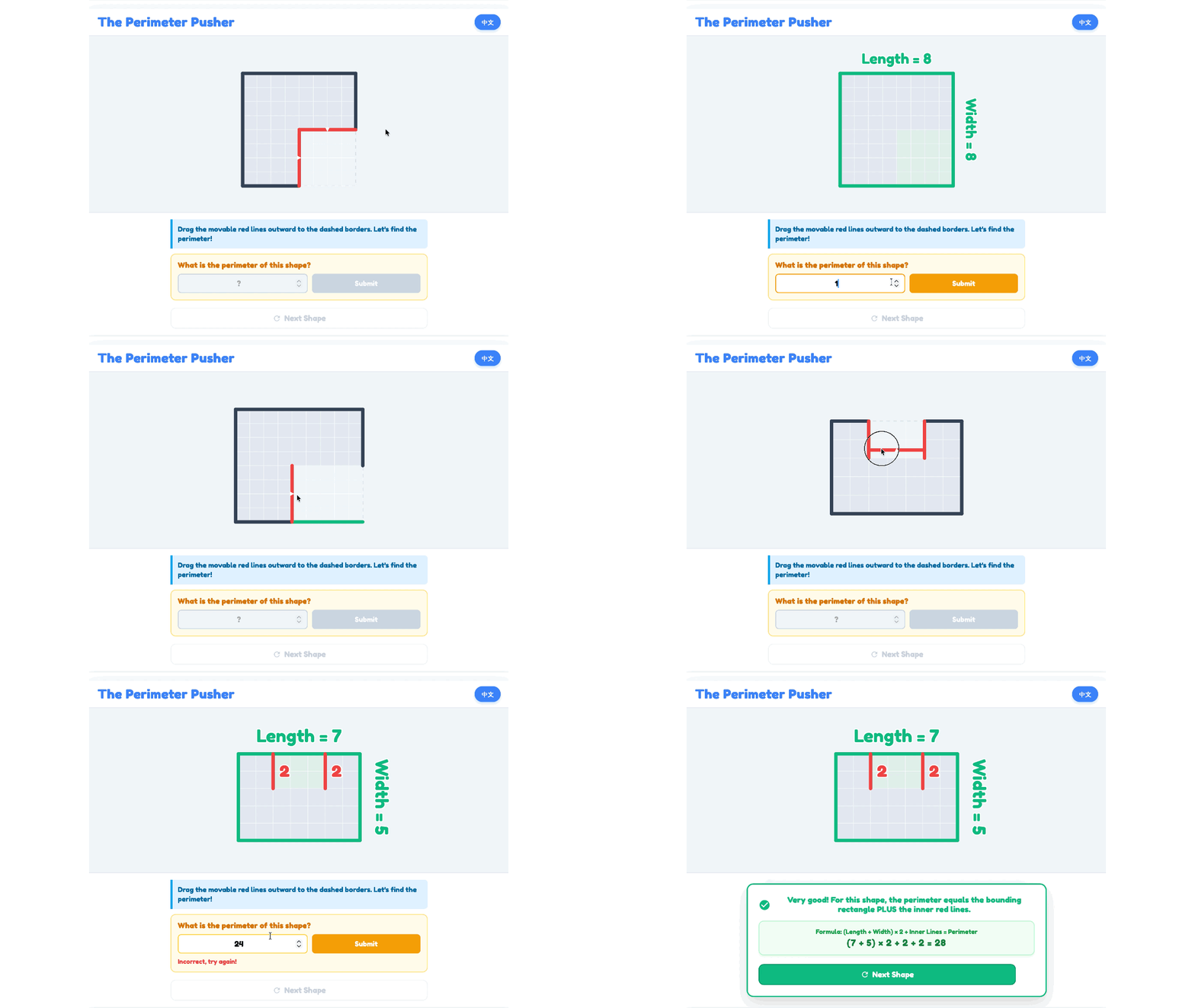
The Mission:
Welcome to the geometry block puzzle! You are given a fixed shape and several movable blocks. Your mission is to push and connect the blocks to form a single combined shape that matches the exact Target Perimeter required to beat the level!
Math Skills:
Perimeter Calculation: Counting the outer edge units of a composite shape.
Geometric Manipulation: Understanding how connecting shapes hides their inner edges, reducing the total perimeter.
Problem Solving: Testing different block arrangements to reach a specific numerical target.
How to Play:
Select Difficulty: Use the Level dropdown menu at the top to choose your difficulty (e.g., Level 1: Basic Shapes).
Move the Blocks: Drag the red movable blocks and snap them onto the dark fixed shape.
Count the Edges: Count the outside boundary lines of your new combined shape. Remember, edges touching each other inside the shape do not count!
Submit Answer: Type your calculated perimeter into the input box and press Enter. If you get stuck, use the Reset Position button to start the puzzle over.

周界推圖大師
任務簡介:
歡迎來到幾何方塊解謎!你會得到一個固定的圖形和幾個可移動的方塊。你的任務是推動並連接這些方塊,拼成一個組合圖形,使其外圍長度完全符合通關所需的 目標周界 (Target Perimeter)!
數學技能:
計算周界: 計算組合圖形最外圍邊緣的單位長度。
幾何操作: 理解當圖形連接時,它們內部的邊緣會被隱藏,從而減少總周界。
解難能力: 嘗試不同的方塊排列方式,以達到特定的目標數值。
玩法說明:
選擇難度: 使用頂部的 關卡 (Level) 下拉選單 來選擇難度(例如:Level 1 基礎圖形)。
移動方塊: 拖動紅色的可移動方塊,將它們拼接到深色的固定圖形上。
計算邊緣: 計算你拼出的新圖形最外圍的邊界線。記住,圖形內部互相接觸的邊緣 不能計算在內!
提交答案: 在輸入框中輸入你計算出的周界,然後按 Enter 鍵。如果卡住了,可以使用 「重設位置」(Reset Position) 按鈕重新開始。


