

Geometric Architect: 3D Constructor


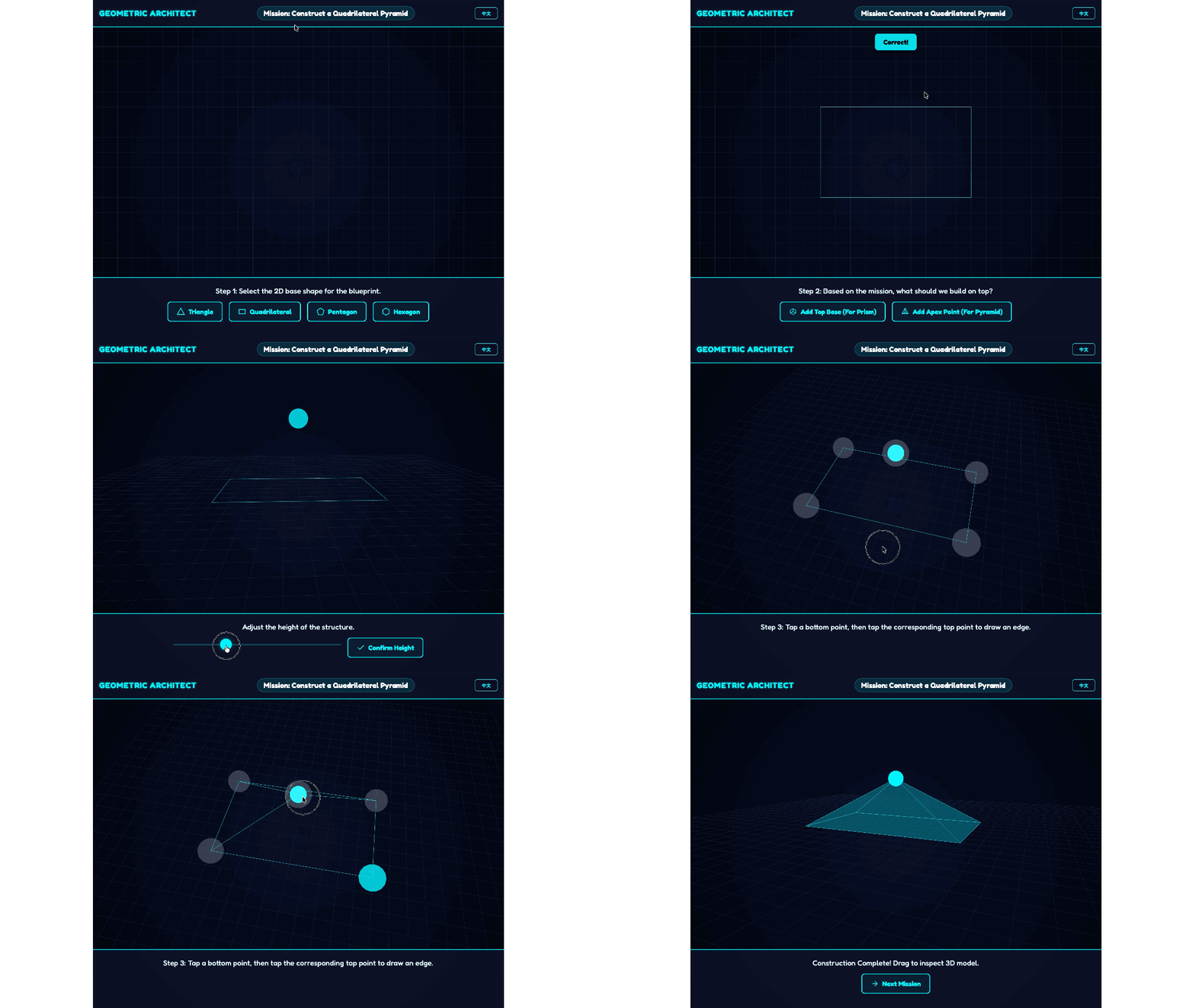
The Mission:
Become a master 3D architect! Follow the mission blueprints to construct solid 3D prisms and pyramids by connecting vertices in a virtual space.
Math Skills:
3D Geometry Properties: Understanding the structural differences between prisms (two bases) and pyramids (one base, one apex).
Vertices and Edges: Connecting 2D points across a Z-axis to build 3D forms.
Spatial Visualisation: Manipulating and viewing geometric shapes in a 3D environment.
How to Play:
Read the mission and select the correct 2D base shape (e.g., triangle, rectangle, circle) from the bottom menu.
Choose whether to add a "Top Base" (for a prism) or an "Apex Point" (for a pyramid).
Use the height slider to adjust the vertical scale, then click Confirm Height.
In the 3D canvas, tap a bottom point, then tap its corresponding top point to construct an edge! Once finished, rotate your model to inspect it, then click Next Mission (to advance to a new Level).
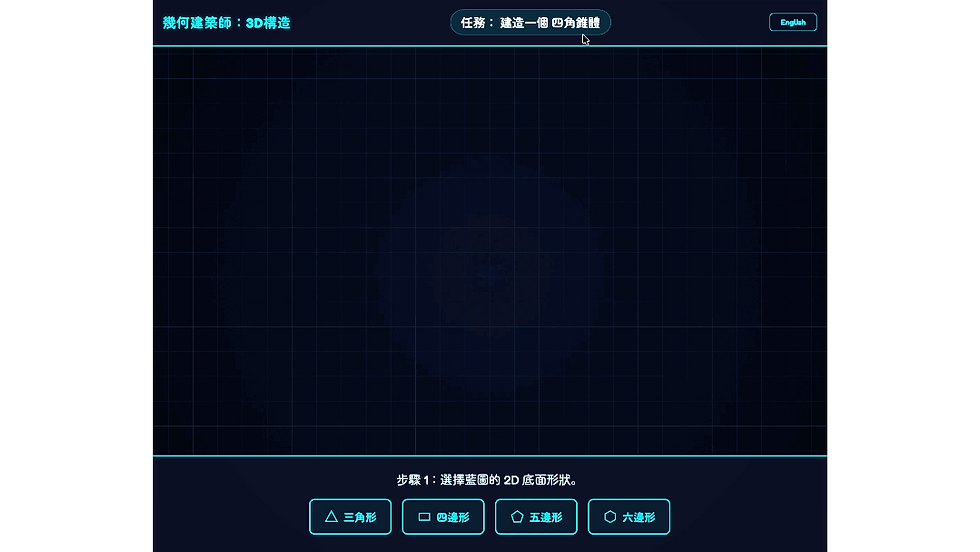
幾何建築師: 3D構造
任務簡介:
成為 3D 建築大師!按照任務藍圖,在虛擬空間中連接頂點,建造出立體的 3D 柱體和錐體。
數學技能:
3D 幾何特性: 理解柱體(兩個底面)和錐體(一個底面、一個頂點)在結構上的差異。
頂點與邊 (Vertices and Edges): 在 Z 軸上連接 2D 點以建立 3D 形態。
空間視覺化: 在 3D 環境中操作並觀察幾何圖形。
玩法說明:
閱讀任務,從底部選單選擇正確的 2D 底面形狀(例如:三角形、矩形、圓形)。
選擇要添加「頂面」(適用於柱體)還是「頂點」(適用於錐體)。
使用高度滑桿調整垂直比例,然後點擊 「確認高度」(Confirm Height)。
在 3D 畫布中,點擊底部的點,再點擊對應的頂部點來構建邊緣!完成後,旋轉你的模型進行全方位檢查,然後點擊 「下一個任務」(Next Mission)(以進入新 關卡 (Level))。


